
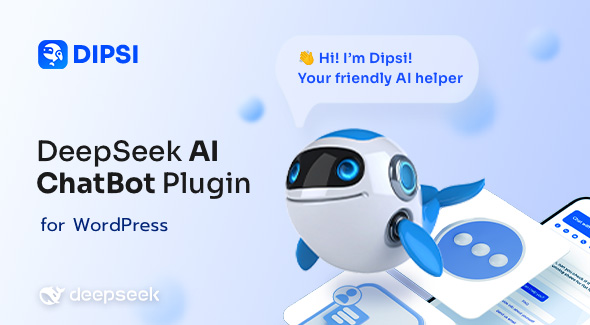
Dipsi, a WordPress plugin, enables the integration of a DeepSeek AI Chatbot for WordPress directly onto your website. This tool is designed for site administrators, content creators, and business owners who aim to provide immediate, automated conversational responses to their visitors. Its core use is to enhance user engagement by offering a self-service information retrieval system, applicable across various website types from informational blogs to e-commerce platforms and service directories. Users can interact with the chatbot to ask questions, receive specific content, or navigate site information without needing direct human intervention. This capability helps streamline visitor interactions, making relevant details accessible around the clock.
The plugin establishes a persistent chat interface, typically appearing as a floating widget in a corner of the browser window. When a site visitor clicks on this widget, a chat window expands, revealing a greeting message and a text input field. Users can type their inquiries into this field, and the chatbot processes the input to generate a text-based response. The system is engineered to understand natural language requests and retrieve or synthesize information based on its configured knowledge base, returning a conversational reply within the same chat interface.
The Dipsi – DeepSeek AI Chatbot for WordPress facilitates dynamic interactions. It allows site administrators to define the AI’s core instructions, influencing how it interprets questions and formulates answers. This setup ensures the bot maintains a consistent tone and focus, aligning its responses with the specific context of your website or business objectives. For example, on a product support page, the bot can be directed to prioritize explanations of product features or troubleshooting steps, maintaining a helpful and informative persona.
A central aspect of its operation involves content ingestion. The plugin offers functionality to train the chatbot using your website’s existing content. This means you can specify which posts, pages, or custom post types the AI should reference when formulating its replies. When a user asks a question, the AI accesses this defined content, extracting relevant segments to construct a coherent and contextually appropriate answer. This process allows the chatbot to provide specific details about your services or articles directly from your published material.
Administrators manage the connection to the DeepSeek AI service through an API key within the WordPress dashboard. This ensures that the chatbot’s processing power is linked to your service account. The plugin interface provides fields for entering and testing this key, alongside options for setting usage limits or monitoring interaction counts. This direct integration is fundamental for the chatbot’s ability to process and generate responses efficiently.
The DeepSeek AI Chatbot for WordPress operates as a standard WordPress plugin, designed to function within a typical WordPress installation regardless of the active theme. It does not require specific theme frameworks or page builders to integrate its core functionality. The plugin’s lightweight footprint means it generally coexists with other plugins without conflicts, relying on standard WordPress hooks and APIs for its operations. Its primary integration is with the DeepSeek AI service, managed through the API key input in the plugin settings, which handles the conversational logic externally.
Consider an e-commerce site where customers frequently ask about product specifications or shipping policies. Dipsi can be configured to answer these common questions instantly, retrieving details from product pages or a dedicated FAQ section. For a blog, the chatbot might guide readers to relevant articles based on their interests or provide summaries of longer posts. Service-based businesses can use it to explain their offerings, qualify inquiries by asking initial questions, or direct visitors to contact forms for more complex issues, providing a layer of immediate interaction before human support is needed.
Dipsi provides a practical method for integrating an AI-powered conversational agent into WordPress websites. It establishes a direct channel for visitors to obtain information and interact with your site’s content in a dynamic way. By automating responses to common inquiries and guiding users through site information, it contributes to a more interactive browsing experience. The plugin’s configuration options allow site administrators to tailor the AI’s knowledge base and presentation, ensuring it serves specific site objectives effectively.
There are no reviews yet.
From multipurpose themes to niche templates