
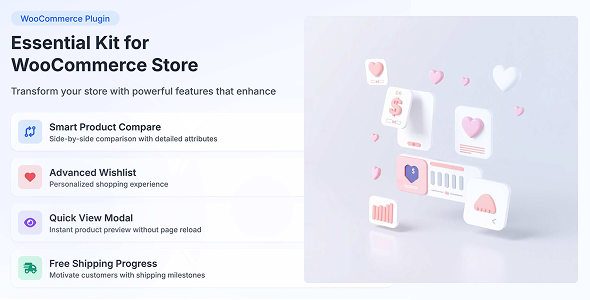
The Essential Kit For WooCommerce – Product Compare plugin empowers online stores by integrating a seamless comparison system directly into product pages. This Essential Kit For WooCommerce functionality provides customers with a straightforward way to evaluate items, enhancing their shopping experience through direct Product Compare capabilities. It’s designed for any WooCommerce store owner aiming to reduce decision fatigue, streamline the buying process, and ultimately help visitors confidently select the right product from a range of similar options.
This plugin essentially acts as a virtual showroom assistant, allowing shoppers to place several products side-by-side and quickly identify their differences and similarities. It’s particularly useful for stores with extensive catalogs featuring items that share many characteristics but differ in key specifications or attributes. By presenting this information clearly, the plugin empowers buyers to make informed choices without navigating back and forth between multiple product pages.
The Essential Kit For WooCommerce extends beyond basic functionality, offering several sophisticated options for managing product comparisons. Shoppers encounter an intuitive ‘Add to Compare’ button, typically positioned near the ‘Add to Cart’ button or within product listing grids. Clicking this button adds the item to a temporary comparison list, often indicated by a subtle counter or pop-up notification. Customers can add multiple products, and when ready, they interact with a dedicated ‘Compare’ button or link to view their selected items.
Upon activation, the comparison action can trigger a dynamic pop-up modal or redirect to a standalone comparison page. Within this view, products are arranged in a clear, column-based table. Each column represents a chosen product, while rows display specific attributes such as price, availability, short description, SKU, and any custom fields configured by the store administrator. Products can be easily removed from this comparison table, and new items can be added without losing the current selection, ensuring a fluid comparison process.
Store managers gain granular control over which product attributes appear in the comparison table. This includes standard WooCommerce fields as well as custom attributes defined for products. For instance, an electronics store might highlight processor speed, RAM, and screen size, while a clothing store might focus on material, fit, and color options. This flexibility ensures the comparison table is always relevant to the specific products being offered, providing genuinely helpful information to the customer.
The core interaction of the Product Compare feature ensures a smooth user journey, presenting information in an easily digestible format. The design prioritizes clarity and directness, avoiding clutter to keep the focus on product distinctions. The comparison interface is responsive, adapting gracefully to various screen sizes and devices, ensuring a consistent experience whether a customer is browsing on a desktop, tablet, or mobile phone.
This plugin is built to integrate seamlessly with WooCommerce, leveraging its core product data and structure. It functions reliably with most well-coded WordPress themes, respecting their styling and layout conventions. For sites utilizing popular page builders like Elementor, Divi, or Beaver Builder, the ‘Add to Compare’ buttons and comparison widgets can often be placed and styled directly within the builder interface, offering significant flexibility in design and placement. Furthermore, it supports custom product fields, ensuring that unique product attributes added via plugins like Advanced Custom Fields (ACF) or custom post types can also be included in the comparison table.
Consider an online electronics store where customers frequently compare specifications of different laptop models or smartphone versions. This plugin allows them to quickly evaluate CPU speeds, RAM, storage, and battery life side-by-side. For a fashion retailer, shoppers might compare garment materials, sizing charts, or color variations of similar clothing items. Even in the home goods sector, comparing appliances by dimensions, energy ratings, or specific features becomes straightforward. Any store selling products with varying attributes can benefit, as it streamlines the research phase for customers, making their purchasing decision easier and faster.
Ultimately, integrating Essential Kit For WooCommerce – Product Compare into your online store environment represents a tangible enhancement to the customer journey. It transforms the often-tedious process of comparing products into an engaging and efficient experience. By providing clear, side-by-side attribute comparisons, the plugin empowers shoppers to confidently differentiate between similar items, leading to more informed purchase decisions. Its robust feature set, intuitive user interface, and broad compatibility make it a valuable addition for any WooCommerce merchant aiming to elevate user satisfaction and streamline the sales funnel.
There are no reviews yet.
From multipurpose themes to niche templates