
For site builders and content managers seeking precise control over front-end display, FacetWP – Conditional Logic offers an essential enhancement. This extension allows you to dynamically manage the visibility of facets, templates, and other content elements based on specific user selections. With FacetWP, you can tailor the filtering experience, ensuring only relevant options appear when useful. This Conditional Logic module streamlines complex search interfaces for a more intuitive user journey.
The core functionality centers on creating ‘if/then’ rules. You define conditions based on the current state of other filters, post data, or URL parameters. If these conditions are met, the targeted facet, content block, or template section becomes visible. Otherwise, it remains hidden from the user interface. This direct approach provides granular control over how information unfolds on a page as visitors interact with filters.
When configuring a rule, you’ll find a straightforward interface. You select a field, choose an operator like ‘equals,’ ‘contains,’ ‘greater than,’ or ‘is empty,’ then input a specific value. For instance, you might set up a rule: ‘If the ‘Category’ facet equals ‘Events’, then show the ‘Date Range’ facet.’ This automatically renders the ‘Date Range’ facet only when an ‘Events’ category is active, preventing unnecessary fields from cluttering the layout.
The backend interface for defining these rules integrates directly into the settings of individual facets or template sections. You’re not navigating a separate panel. Instead, a dedicated section appears within the element’s configuration where you add, edit, or remove conditions. This contextual placement means you apply logic precisely where it’s needed, without complex cross-referencing.
The design prioritizes clarity and ease of use, even for intricate setups:
This extension functions as a natural part of the FacetWP ecosystem, extending your existing filtering setups. It seamlessly integrates with custom post types, taxonomies, and custom fields that FacetWP already indexes. Because it leverages FacetWP’s robust data handling, the conditional display logic operates efficiently, without introducing performance bottlenecks to your filtered listings.
The underlying nature of this conditional functionality means it works harmoniously across various WordPress themes and page builders. As long as FacetWP is configured to output its facets and template parts, this extension layers its logic on top, controlling their visibility regardless of the front-end rendering method. This provides consistent behavior whether you’re using a block editor, Elementor, or custom theme templates.
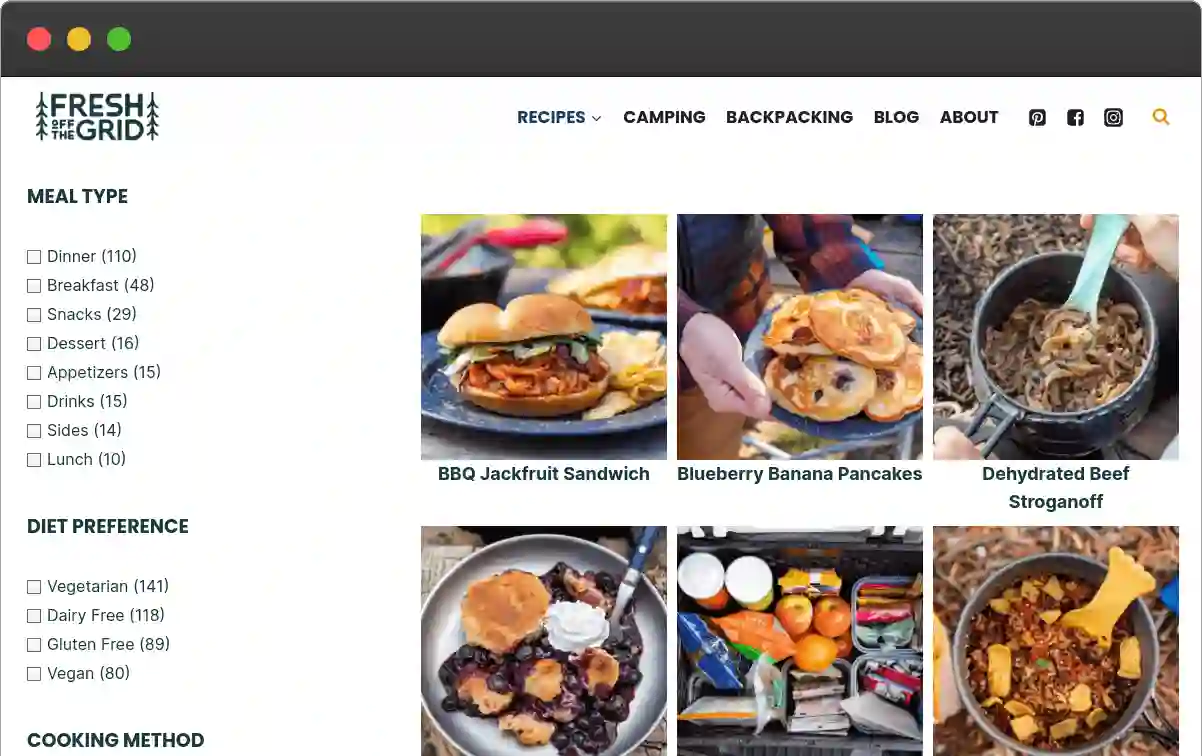
Consider a product catalog where you only want to show a ‘Size’ facet if a ‘Clothing’ category is selected. Or perhaps a ‘Location’ facet should only appear when the ‘Event Type’ is ‘In-Person’. Conditional Logic handles these scenarios directly. This ensures users are only presented with relevant filtering options, reducing clutter and guiding them more effectively through available choices.
Beyond facets, this system also applies to other elements. You might configure a specific content block or a custom template part to appear only when certain filter combinations are active. For example, a ‘Special Offers’ section could display only when a ‘Discounted Items’ filter is applied. This dynamic content presentation refines the user experience by showing highly targeted information at the opportune moment.
Ultimately, FacetWP – Conditional Logic offers a sophisticated yet accessible way to build highly responsive and intelligent filtering interfaces. It empowers site administrators to create dynamic user experiences that adapt to visitor choices, streamlining content discovery and improving overall site usability. This tool provides the flexibility needed to present information logically and intuitively, without custom coding.
There are no reviews yet.
From multipurpose themes to niche templates