

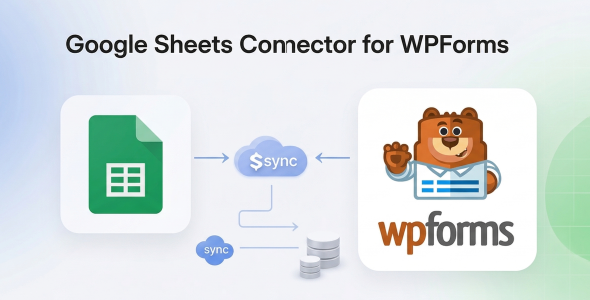
The Google Sheets Connector for WPForms provides a robust solution to seamlessly Sync Form Entries to Spreadsheets, making it an indispensable tool for any website leveraging WPForms. This Google Sheets Connector for WPForms – Sync Form Entries to Spreadsheets is engineered to automate data transfer from your WordPress forms directly into Google Sheets, suiting a wide array of sites from e-commerce stores managing orders to service-based businesses capturing lead information, and educational platforms handling registrations.
Its core concept revolves around eliminating manual data export, a common bottleneck in web operations. By establishing a direct, real-time conduit between your WPForms submissions and a designated Google Sheet, this system fundamentally transforms how user-submitted data is managed, analyzed, and integrated into broader business intelligence workflows. The architecture is designed for intuitive configuration, ensuring even users with minimal technical expertise can deploy and maintain the integration effectively.
From an architectural standpoint, the connector prioritizes both data integrity and operational efficiency. It leverages secure OAuth 2.0 authentication for Google API access, ensuring that sensitive user data is handled with stringent security protocols. This method circumvents direct credential storage on your WordPress site, mitigating potential security vulnerabilities and adhering to modern web security best practices.
Performance optimization is central to its design. The plugin executes data synchronization asynchronously where feasible, preventing any potential latency from impacting your site’s frontend user experience during form submissions. This approach ensures that even high-volume form submissions do not lead to bottlenecks or degraded page load times, maintaining a fluid user journey while backend data processes occur seamlessly.
The utility of this integration extends beyond mere data transfer; it empowers advanced data manipulation and reporting capabilities directly within Google Sheets. The precise mapping functionality ensures that each form field correlates accurately to its respective spreadsheet column, providing structured data ideal for pivot tables, custom charts, and automated reporting systems.
The seamless integration of the Google Sheets Connector for WPForms within the broader WordPress ecosystem is a significant advantage. It operates as a lightweight, purpose-built extension for WPForms, avoiding bloat while maximizing specific functionality. This focused design minimizes conflicts with other plugins, ensuring high compatibility and stability across diverse WordPress environments.
Deployment scenarios are incredibly varied. Consider a marketing agency collecting lead generation forms; the ability to Sync Form Entries to Spreadsheets instantly allows their sales team to access new leads without delay, triggering automated follow-up sequences. For event organizers, registrations are immediately populated into a master sheet, simplifying attendee management and communication. The system is inherently scalable, adapting from small personal blogs to extensive enterprise applications requiring sophisticated data management.
Implementing a dedicated solution like the Google Sheets Connector for WPForms – Sync Form Entries to Spreadsheets significantly enhances project viability by streamlining a critical operational aspect: data handling. By automating the transfer of form submissions, organizations save countless hours previously spent on manual exports and data entry, freeing up resources for more strategic initiatives. This efficiency gain translates directly into improved productivity and faster decision-making cycles, critical in today’s dynamic digital landscape.
The long-term benefits include a centralized, easily accessible data repository for all form submissions, facilitating more profound data analysis and better-informed strategic planning. The robust architecture, coupled with advanced capabilities and broad compatibility, positions this connector as an essential utility for any WordPress site owner seeking to optimize their data workflow and extract maximum value from their WPForms submissions.
There are no reviews yet.
From multipurpose themes to niche templates