
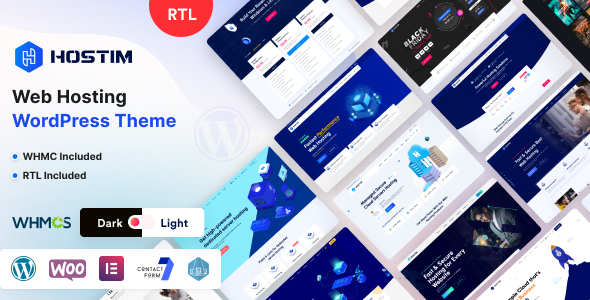
Hostim, a specialized Web Hosting WordPress Theme with WHMCS, offers a dedicated solution for businesses and individuals looking to establish a professional web hosting service online. This theme is engineered to present hosting plans, domain registration, and client management functionalities within a cohesive WordPress environment. It serves both new startups entering the hosting market and established providers seeking a refined online presence, allowing them to integrate billing and support systems directly into their website.
The theme integrates directly with WHMCS, a popular client management, billing, and support system for online businesses. This means that when a visitor selects a hosting plan or searches for a domain on your WordPress site, the interactions flow seamlessly into the WHMCS backend for processing, account creation, and ongoing client management without requiring manual data transfer between platforms. This integration bridges the presentation layer with the operational backend.
The core functionality of Hostim focuses on presenting hosting services clearly and facilitating user interaction. On the homepage, visitors encounter customizable sections designed to showcase different hosting packages, often laid out in comparative tables. These tables typically display features like disk space, bandwidth, and email accounts in a structured grid, allowing users to compare options side-by-side before making a selection. When a user clicks to order, the selection is passed to the integrated WHMCS system.
Domain search is a prominent feature, usually presented as a large input field on dedicated domain pages or within the header area. As a user types a domain name, the system queries for availability and suggests alternative extensions if the primary choice is taken. This real-time lookup functionality simplifies the domain registration process, guiding users directly to available options. Hostim – Web Hosting WordPress Theme with WHMCS provides this core search experience.
For client management, the theme includes specific templates that mimic the WHMCS client area, ensuring a consistent visual experience. When a logged-in user accesses their account details, invoices, or support tickets through the WordPress front-end, the content is pulled directly from WHMCS, displaying it within the theme’s design framework. This maintains brand consistency from initial visit through ongoing client interactions, which is a crucial aspect for any Web Hosting WordPress Theme with WHMCS.
Hostim is built to integrate with Elementor, allowing for visual page building without direct code manipulation. This means administrators can drag and drop elements, adjust padding, margins, and content blocks on the front-end, seeing changes in real-time. The theme provides custom Elementor widgets tailored for hosting services, such as pricing tables, testimonials, and call-to-action buttons specifically for domain searches.
Beyond WHMCS, the theme maintains compatibility with common WordPress plugins. For instance, Contact Form 7 integration allows for custom inquiry forms to be built and embedded on any page. Furthermore, a custom post type is available for creating detailed service pages or knowledge base articles, enhancing the informational structure of the site.
This theme is well-suited for a range of scenarios. A new web hosting startup can quickly launch a professional-looking site with integrated billing from day one, focusing on acquiring initial clients rather than extensive development. Established hosting providers can refresh their existing online presence, providing a more modern and streamlined user experience for their client base. Resellers can leverage the Hostim framework to present their white-labeled hosting packages effectively, using the WHMCS integration to manage their customer accounts.
Hostim provides a robust foundation for any business offering web hosting services. Its specific integration with WHMCS means that managing clients, billing, and support flows directly from the website’s front end. The customizable layouts, responsive design, and Elementor compatibility provide the tools to build a comprehensive and visually consistent online presence. This combination of front-end design and back-end system integration offers a practical solution for operational efficiency and user experience in the hosting sector.
There are no reviews yet.
From multipurpose themes to niche templates