

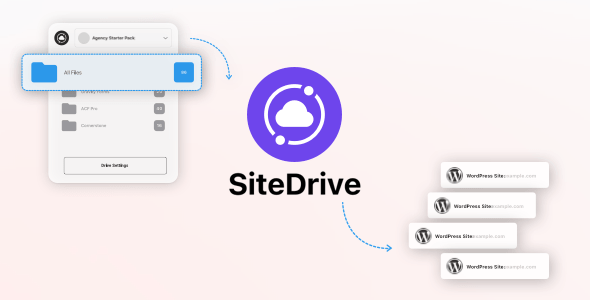
SiteDrive, a powerful plugin for Cloud Libraries & File Sharing for WordPress, integrates external storage directly into your site’s media management. It is built for content managers and developers aiming to centralize digital assets and control sharing permissions efficiently. This solution transforms how WordPress handles files, connecting with popular cloud services like Google Drive, Dropbox, OneDrive, and Amazon S3, providing a unified interface for all your media and documents. The plugin caters to anyone needing to manage large volumes of files, distribute resources securely, or offload server storage without disrupting their established WordPress workflow.
Upon activation, SiteDrive introduces a dedicated section within the WordPress admin area, appearing as a new top-level menu item. From here, administrators configure connections to various cloud storage providers. The configuration screen presents straightforward input fields for API keys and access tokens, accompanied by clear instructions for obtaining credentials. Once connected, cloud folders and their contents become browsable directly within the WordPress dashboard, mirroring a local file explorer experience.
When managing files with SiteDrive — Cloud Libraries & File Sharing for WordPress, users can create new folders, upload files directly to linked cloud services, and move existing files between different cloud libraries or to the local WordPress media library. The plugin supports large file uploads by leveraging the cloud provider’s infrastructure, bypassing typical server upload limits. A progress bar displays during uploads, showing percentage complete. A contextual menu on hover or right-click offers options like “Share,” “Copy Link,” “Move,” or “Delete.”
The file sharing functionality allows granular control. When an administrator selects a file or folder, a modal window appears with options to generate a shareable link. This link can be configured with password protection, an expiration date, and download limits. For instance, you can create a link that expires after 7 days or after 10 downloads. These shared links are managed centrally, displaying a list of all active shares and their respective settings, which can be revoked or modified at any time from the SiteDrive interface.
Beyond its core functionality, SiteDrive is engineered to integrate smoothly with various WordPress environments. It operates as a standalone plugin, meaning it does not rely on specific themes or other plugins to function. It is compatible with major page builders like Elementor, Divi, and Beaver Builder, allowing content creators to embed or link to cloud-hosted assets directly when constructing pages. Developers can interact with SiteDrive’s robust API, providing hooks and filters to extend its capabilities further, such as automating file syncs or integrating with custom workflows.
Consider a web design agency managing client assets. Instead of emailing large design files, they upload all project assets to a dedicated cloud library via WordPress. Clients receive password-protected links to review mockups and final deliverables, all managed within the agency’s WordPress site. For instance, a learning management system using Cloud Libraries & File Sharing for WordPress can host course materials (PDFs, videos, presentations) on cloud storage, serving them directly to enrolled students without burdening the primary server. This ensures content availability and swift access for learners. Similarly, an e-commerce store selling digital products might use the plugin to secure and deliver downloads after purchase, linking directly to cloud-hosted files.
In summary, SiteDrive — Cloud Libraries & File Sharing for WordPress offers a cohesive and practical approach to managing and sharing digital assets. It simplifies the complexities of multi-cloud storage by presenting a unified interface within WordPress. From its intuitive setup for connecting various cloud providers to its granular control over file sharing and robust compatibility, the plugin addresses common challenges faced by site administrators and content creators alike. It’s a tool designed to enhance efficiency, secure content distribution, and expand your WordPress site’s media capabilities without requiring users to navigate away from their familiar dashboard.
There are no reviews yet.
From multipurpose themes to niche templates