
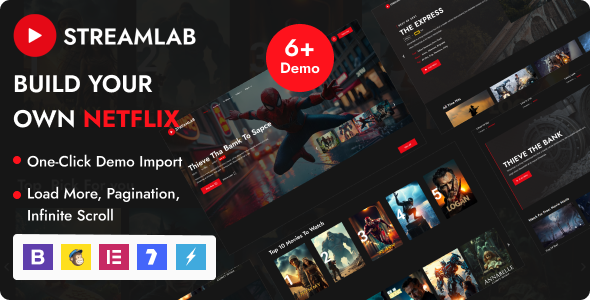
Streamlab is a specialized Video Streaming WordPress Theme crafted for creating platforms centered around video content. It is designed for individuals and organizations looking to establish a website for video on demand (VOD), movie listings, TV series, video magazines, or online education portals. The theme provides the foundational structure and specific functionalities required to host, categorize, and present video collections to an audience, supporting diverse content creators from independent filmmakers to educational institutions.
Building a robust video site requires careful consideration of content presentation and user flow. This theme lays out a framework where video content is the central focus, offering dedicated layouts for individual video pages, series pages, and category archives. Visitors can navigate through content using an intuitive interface, whether they are browsing a curated collection or searching for specific titles within the library.
The Streamlab theme includes a suite of tools that support a video-centric website. For instance, the integrated video player offers a consistent viewing experience across different devices. When a video page loads, the player occupies a prominent position, typically at the top of the content area, allowing for immediate playback. Playback controls for pause, volume, and full-screen toggle are standard, appearing as an overlay when the mouse hovers over the player or when a touch interaction occurs on mobile screens.
Content organization is handled through custom post types designed for videos and episodes. When you add a new video, the editing interface presents fields for title, description, featured image, and video embed codes or self-hosted file uploads. For TV series, you can group episodes under a parent series, displaying them sequentially on a series archive page, often with episode thumbnails and brief summaries listed below the main series description.
The visual presentation of a Video Streaming WordPress Theme is critical for user engagement. This theme prioritizes clear visual hierarchy, ensuring that video thumbnails, titles, and calls to action are easily distinguishable. Navigation menus are structured to guide visitors efficiently through categories, genres, and recommended content, often featuring prominent search functionality to quickly locate specific videos.
This theme integrates with the Elementor page builder, providing a drag-and-drop interface for customizing page layouts. When editing a page with Elementor, you can place dedicated video widgets, content blocks, and carousels, visually arranging elements on the canvas. It also supports major video hosting services like YouTube, Vimeo, and Dailymotion through simple embed code insertion, as well as self-hosted video files for direct playback. The Streamlab – Video Streaming WordPress Theme is designed to work with common WordPress plugins for membership functionalities, allowing you to restrict content access based on user roles or subscription levels. This enables the creation of premium content sections or exclusive member-only video libraries.
The versatility of the Streamlab – Video Streaming WordPress Theme makes it suitable for various applications. An independent filmmaker can use it to showcase their portfolio of short films and documentaries, creating a curated online cinema. Educational institutions might deploy it to host lecture series, tutorials, or online courses, providing a dedicated learning platform for their students. Media companies can establish a niche VOD service, presenting a catalog of genre-specific movies or TV shows, complete with detailed descriptions and episode listings. For individuals, it can serve as a personal vlog or a platform to share travel videos and creative projects, organizing content into easily browsable collections.
Ultimately, the Streamlab theme provides a focused toolkit for anyone planning a video-centric website. It addresses the core requirements for presenting and managing video content effectively, offering structured layouts, flexible playback options, and user interaction features. By providing clear pathways for content organization and an adaptable visual framework, the theme supports the creation of platforms where video engagement is the primary objective.
There are no reviews yet.
From multipurpose themes to niche templates