

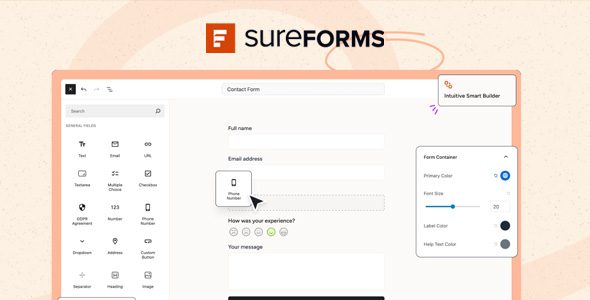
SureForms Pro functions as an advanced AI Drag & Drop Form Builder for WordPress, offering a streamlined approach to creating diverse forms directly within your site. This comprehensive tool, known as SureForms Pro – AI Drag & Drop Form Builder for WordPress, is designed for site administrators, marketers, and developers who need to implement contact forms, lead generation tools, surveys, or registration systems with efficiency and precision. It simplifies the process of gathering user data and enhancing interactive site elements.
The system is built to address the common challenge of form creation, allowing users to move beyond generic templates and build custom data input flows. It caters to anyone requiring interactive elements on their WordPress site, from small business owners needing simple contact forms to larger organizations running complex multi-step surveys.
The core of this system lies in its ability to interpret natural language prompts. With SureForms Pro – AI Drag & Drop Form Builder for WordPress, users can simply describe the form they need, such as “a job application form with fields for name, email, resume upload, and cover letter text area.” The AI then processes this request and generates a preliminary form structure, populating the builder canvas with appropriate field types and labels, significantly reducing the initial setup time.
The intuitive drag-and-drop interface complements the AI generation by providing granular control over layout and field types. Users can select various field elements—text input, radio buttons, checkboxes, file uploads—from a sidebar panel and drag them directly onto the form canvas. Once placed, fields can be rearranged, resized within columns, or grouped into rows, enabling the creation of responsive layouts that adapt to different screen sizes.
Beyond static forms, conditional logic allows for dynamic user experiences. Fields can be configured to appear or hide based on a visitor’s previous selections or input. For instance, if a user answers “Yes” to a question about subscription preferences, an additional set of fields for newsletter topics might instantly become visible, guiding the user through a more relevant form path and avoiding unnecessary clutter.
Embedding forms created with SureForms Pro into pages or posts is straightforward. The builder generates a shortcode or a dedicated Gutenberg block, allowing seamless integration with the native WordPress block editor as well as popular page builders like Elementor or Beaver Builder. Form submissions are captured and stored within the WordPress dashboard, where they can be viewed in a structured table, filtered, and exported for further analysis.
The versatility of the AI Drag & Drop Form Builder for WordPress extends to numerous practical scenarios. A marketing team might deploy it for lead generation campaigns, designing targeted opt-in forms for specific content downloads. An educational institution could use it for student registration, collecting detailed applicant information across multiple sections. For example, a service provider might use the AI Drag & Drop Form Builder for WordPress to create a detailed project brief questionnaire, guiding potential clients through a series of questions to scope their needs effectively.
In essence, SureForms Pro – AI Drag & Drop Form Builder for WordPress provides a practical and efficient solution for managing form creation on a WordPress site. Its combination of AI-assisted generation, a flexible drag-and-drop interface, and robust conditional logic capabilities empowers users to build sophisticated forms that meet specific data collection needs while offering a smooth experience for site visitors. The tool streamlines workflows for site administrators and enhances overall site interactivity without requiring deep technical knowledge.
There are no reviews yet.
From multipurpose themes to niche templates