

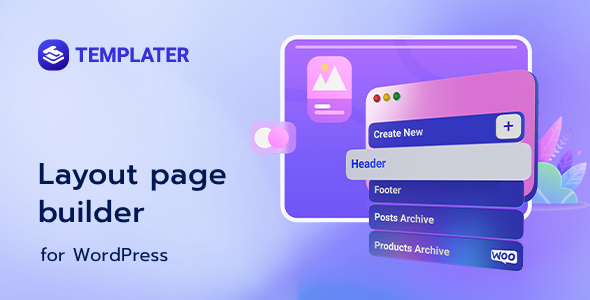
Templater expands Elementor’s capabilities, acting as a specialized Layout Builder for Elementor that empowers site creators to construct dynamic content displays across their WordPress sites. This solution, known as Templater – Layout Builder for Elementor, targets developers and designers who need fine-grained control over how post types, archive pages, and custom fields render on the front end. It serves as a bridge, enabling Elementor’s visual design power to be applied systematically to content that originates from various data sources within WordPress.
Templater enables the creation of custom templates that automatically apply to specific post types or archive pages. For instance, when designing a custom post type for ‘Events,’ a single template built with Elementor within Templater dictates the structure for every event entry. This means each event post, upon publication, consistently displays its title, date, location, and description in the pre-defined arrangement, pulling data directly from the post’s custom fields.
The tool extends Elementor’s reach beyond static page design by integrating deeply with custom field plugins like Advanced Custom Fields (ACF) or Meta Box. Users can insert dynamic tags directly into Elementor widgets, mapping a text field to an ACF text input, or an image widget to a custom image upload. When an editor updates a custom field value on a post, the associated Elementor template updates automatically on the front end, ensuring content consistency without manual page edits.
Conditional display rules provide control over element visibility based on specific criteria. A section dedicated to ‘related products’ might only render on a single product page if there are actual related products assigned, preventing an empty section from appearing. Similarly, a ‘Sold Out’ badge can be set to display over a product image only when a custom stock status field indicates the item is unavailable, adjusting the visual layout dynamically for site visitors.
The templating interface integrates directly within the familiar Elementor editor, maintaining a consistent design environment. Users can expect a workflow that mirrors standard Elementor page building, but with dynamic data points readily accessible. Template assignments are managed through an intuitive panel, allowing hierarchical control over where custom layouts apply.
Templater is built to work seamlessly within the WordPress ecosystem, leveraging standard WordPress post types and taxonomies. It extends this compatibility to custom post types and custom taxonomies created using plugins like Custom Post Type UI. This broad integration ensures that any content structure defined in WordPress can be templated using Elementor. The plugin’s dynamic data capabilities inherently support popular custom field solutions, including Advanced Custom Fields (ACF), Meta Box, and Pods. This means data input through these field builders can be directly output and styled within Elementor templates, creating sophisticated content layouts without additional coding. This approach ensures that every page benefits from a cohesive Layout Builder for Elementor design, automatically adapting to the specific data of each post.
Consider building an online directory of businesses. With Templater, you can design a single Elementor template for ‘Business Listings.’ This template dynamically pulls each business’s name, address, contact details, and images from custom fields, applying the same layout structure to hundreds of entries. Visitors navigate through a consistent display for every business profile. For a real estate website, Templater allows creating a dedicated template for ‘Property Listings.’ Each property page, when viewed, will populate the template with its unique images, price, number of bedrooms, and agent contact information, all organized into a visually coherent and branded presentation. Furthermore, building an event calendar can leverage Templater – Layout Builder for Elementor to display event details. Each event’s date, time, venue, and description are dynamically pulled into a pre-designed Elementor template, ensuring a consistent and engaging user experience for visitors browsing upcoming activities.
Templater provides a practical method for crafting dynamic content displays using Elementor. It allows site builders to define the structure for various content types once and have that structure automatically applied across numerous entries. This streamlines the process of maintaining design consistency across large content sets. The tool facilitates a more efficient workflow for site development, particularly when dealing with custom post types and extensive custom field usage. The result is a professional and coherent visual experience across the entire website, removing the need for repetitive design work on individual content items.
There are no reviews yet.
From multipurpose themes to niche templates