
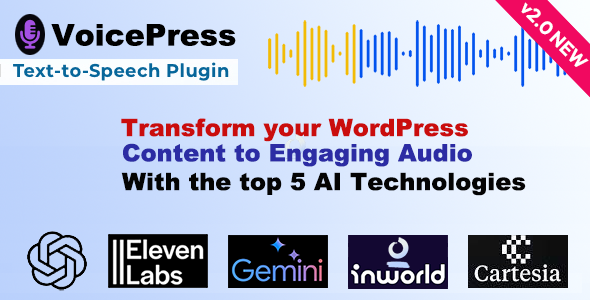
VoicePress provides a direct approach to embedding AI Text to Speech for WordPress functionality onto your website. It allows content publishers, educators, and news outlets to convert written articles and textual content into spoken audio. This offers an alternative way for visitors to engage with material, catering to those who prefer listening over reading, or for accessibility purposes.
The plugin integrates with leading speech synthesis engines, giving administrators control over the voice generation process. Once configured, content can be converted into audio directly from the WordPress editor. Site managers can choose to automatically add an audio player to posts or pages, or insert it manually using a shortcode or block.
When a post or page loads, if an audio version has been generated, a player appears on the content. Users can initiate playback directly from this embedded interface, which often sits near the content title or at the beginning of the post body. This player features standard controls like play, pause, and a progress bar, allowing listeners to navigate through the audio. VoicePress – AI Text to Speech for WordPress handles the audio file storage and delivery, streamlining the user experience.
Administrators can select from various voice options, including different genders, accents, and languages, depending on the chosen speech engine. These settings are typically managed through a dedicated section in the WordPress dashboard. When setting up a post for audio conversion, an interface within the editor allows for selecting a specific voice for that content, overriding global defaults if needed.
The front-end audio player is designed to integrate seamlessly into a website’s existing design. It typically presents as a compact bar that loads above the main content area or within a custom designated block. This ensures it complements the page layout without being intrusive. The player’s visual style often adapts to the site’s active theme, picking up font and color cues for a cohesive look. It prioritizes ease of use, making the audio experience straightforward for visitors.
This plugin is built to function within the standard WordPress environment, integrating with the Block Editor (Gutenberg) and generally coexisting with popular page builders. It processes content generated by these tools, converting the visible text into audio. The audio generation process typically happens in the background, minimizing impact on front-end loading times. AI Text to Speech for WordPress solutions like this aim for broad compatibility, reducing conflict potential.
Content creators running blogs can use VoicePress to offer audio versions of their articles, expanding reach to listeners during commutes or other activities where reading is impractical. Educational websites can convert lesson texts into spoken lectures, aiding students with different learning styles or visual impairments. News portals can provide audio summaries or full readings of their articles, enabling rapid consumption of information. Podcasters might also leverage this for generating supplemental content or teasers.
For sites publishing extensive guides or research papers, having an audio option significantly enhances user engagement and accessibility. Visitors can listen to lengthy documents without eye strain, pausing and resuming as needed. This functionality transforms static text into a dynamic, auditory experience, making content more approachable. The generated audio files can also be linked to, allowing users to download or share them.
Integrating VoicePress – AI Text to Speech for WordPress on a website adds a valuable dimension to content delivery. It broadens audience reach by offering an alternative consumption format, improves accessibility for a wider range of users, and enhances overall user engagement. This plugin empowers WordPress site owners to enrich their content presentation, making information more versatile and user-friendly across various contexts.
There are no reviews yet.