
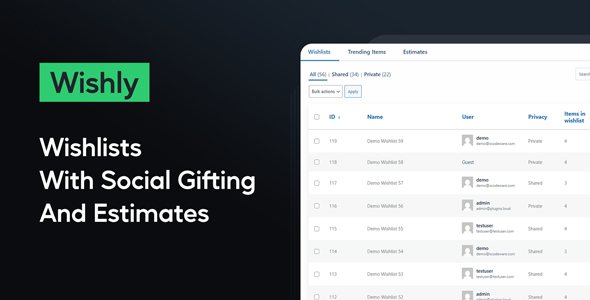
Wishly introduces robust WooCommerce Wishlist, Gifting and Estimates functionality directly into your store, serving as a comprehensive solution for enhancing customer interaction and driving sales. This WordPress plugin is tailored for WooCommerce store owners looking to offer customers dynamic ways to save products, create gift registries, or request personalized quotes. It’s designed for anyone seeking to deepen customer engagement and streamline the shopping experience, from small boutiques to larger e-commerce platforms.
When customers browse your product pages, a "Add to Wishlist" button appears prominently, often near the "Add to Cart" button. Clicking this button adds the item to their personal wishlist, which they can access from their account dashboard or a dedicated wishlist page. Registered users can maintain multiple wishlists, perhaps for different occasions or gift recipients, while guests can use a temporary wishlist that persists across sessions via browser cookies. The wishlist interface displays product images, names, prices, and an option to move items directly to the cart, or update quantities. Wishly – WooCommerce Wishlist, Gifting and Estimates makes it straightforward for customers to manage their desired items.
For gifting, customers can mark a wishlist as "public" or "shared," generating a unique URL they can send to friends and family. This shared wishlist typically displays the items, quantities requested, and an indication if an item has already been purchased by someone else, preventing duplicate gifts. When a gift is purchased from a shared list, the plugin updates the list status, showing remaining quantities or marking items as fulfilled. This capability extends the utility beyond personal tracking, transforming wishlists into actionable gift registries.
The estimates feature allows customers to select products from their wishlist and submit them as a request for a custom quote. On the backend, store administrators receive these requests, seeing the specific products and quantities. They can then generate a custom price proposal directly from the WordPress dashboard and send it back to the customer, often with a unique link to proceed with the customized purchase. This is particularly useful for stores selling configurable products, bulk orders, or services requiring negotiation. Wishly streamlines this entire process.
Wishly is built to integrate deeply with standard WooCommerce installations. It typically works alongside most well-coded WooCommerce themes and popular page builders like Elementor or Beaver Builder, often by providing shortcodes or widgets for displaying wishlist content. While it extends core WooCommerce functionality, it avoids altering fundamental product data, ensuring broad compatibility. Wishly prioritizes a stable and predictable interaction with your existing WordPress and WooCommerce setup. This ensures that adding WooCommerce Wishlist, Gifting and Estimates capabilities does not introduce conflicts with other vital store components.
Consider an online furniture store where customers might want to save items for a future home renovation, or share a list of desired pieces with a spouse. A gift shop preparing for holiday seasons can enable customers to create shareable registries, simplifying gift-giving for their friends and family. For a B2B supplier of industrial equipment, the estimates feature becomes invaluable, allowing businesses to request custom quotes for large orders or specific configurations, moving away from fixed pricing models for complex transactions. Each scenario demonstrates how the plugin extends interaction beyond a simple "add to cart." These functionalities, central to Wishly – WooCommerce Wishlist, Gifting and Estimates, cater to diverse e-commerce needs.
Implementing these features can significantly enhance customer retention and average order value. By allowing customers to curate their shopping journey, share their desires, and engage in personalized quote processes, the store becomes more interactive and responsive. The underlying technical design focuses on extending WooCommerce capabilities cleanly, providing a robust foundation for these advanced customer interactions without burdening site performance.
There are no reviews yet.