
WooCommerce QuickView is a specialized plugin designed to significantly enhance the shopping experience on any WooCommerce-powered online store. Specifically, it provides an Advance Product Quick View For WooCommerce functionality, allowing customers to rapidly preview product details directly from category pages, shop archives, or product listings without navigating away from their current browsing session. This feature transforms how users interact with product grids, offering a streamlined path to gather essential information or add items to their cart. For store owners and developers, this means delivering a more fluid and responsive interface, ultimately contributing to a smoother customer journey when using WooCommerce QuickView – Advance Product Quick View For WooCommerce.
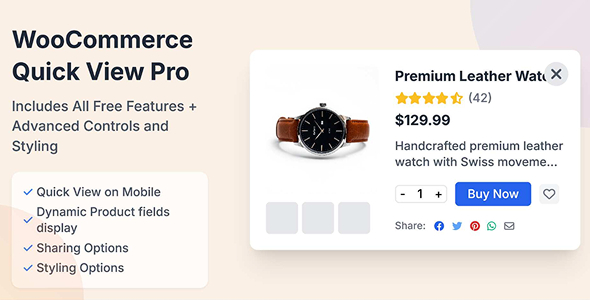
When a customer encounters a product on a listing page, a dedicated ‘Quick View’ button or an icon appears on hover, or sometimes persistently. Clicking this element triggers a modal window or lightbox overlay, which gracefully slides or fades into view. Inside, it displays crucial product information such as images, pricing, short descriptions, and often ‘Add to Cart’ options, along with variations for configurable products. The underlying page remains visible but dimmed, maintaining context while the quick view is active. This approach helps reduce decision fatigue and encourages faster browsing, making it an indispensable tool for high-volume product catalogs.
The plugin introduces several practical features that directly impact how shoppers interact with product listings. Upon activating the quick view, the modal dynamically fetches and presents product data. For variable products, all available options, such as size or color selectors, are fully functional within the quick view interface, mimicking the behavior of a full product page. This allows customers to select their preferred variations and add the item to their cart directly from the popup.
Beyond basic product data, the plugin often includes options to display additional elements like product ratings, stock availability, or even short video clips, all within the confined quick view window. The modal itself is designed for responsiveness, ensuring it adapts its layout to fit comfortably on desktops, tablets, and mobile phones. This means image galleries within the quick view are swipeable on touch devices, and text content reflows appropriately, maintaining readability and usability across all screen sizes.
This Advance Product Quick View For WooCommerce solution is built upon the core WooCommerce framework, ensuring robust compatibility with standard WooCommerce product types, including simple, variable, grouped, and external/affiliate products. It integrates smoothly with most well-coded WordPress themes, often requiring minimal configuration to display correctly within existing layouts. The plugin’s design prioritizes using native WooCommerce functions, which helps maintain compatibility with other WooCommerce extensions and payment gateways, preventing conflicts that can disrupt the checkout process.
Imagine a fashion retailer with hundreds of apparel items. A customer browsing a ‘Dresses’ category can quickly preview several options, check sizes, and view multiple images without leaving the main listing. This significantly speeds up their selection process. Similarly, for electronics stores, customers can quickly compare key specifications or compatibility notes for various gadgets using the quick view without constant page reloads. This interactive browsing experience is particularly valuable for sites with extensive product catalogs, encouraging exploration and reducing friction during the product discovery phase.
Implementing WooCommerce QuickView – Advance Product Quick View For WooCommerce offers a tangible improvement to the user experience on any online store. By providing immediate access to product details and interaction options in a non-intrusive overlay, it addresses common frustrations associated with traditional e-commerce navigation. This focus on efficiency and seamless interaction not only streamlines the customer journey but also has the potential to positively impact conversion rates by making product exploration more engaging and less time-consuming. It’s a practical enhancement that aligns with modern web design principles, prioritizing user convenience and interaction fluidity.
There are no reviews yet.
From multipurpose themes to niche templates