

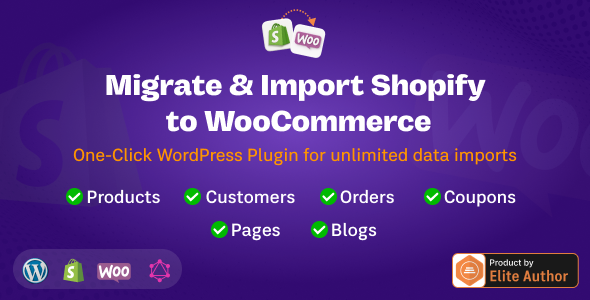
The WP Shopify to WooCommerce plugin offers a dedicated solution for store owners looking to Migrate & Import Shopify Store to WordPress. This tool specifically addresses the intricate process of transferring an entire e-commerce operation, from product listings to customer data, into a self-hosted WooCommerce environment. It’s designed for businesses seeking enhanced control over their online store’s architecture, data ownership, and customization capabilities, moving away from a SaaS platform to a more flexible, open-source ecosystem.
One of the primary functions of WP Shopify to WooCommerce – Migrate & Import Shopify Store to WordPress involves comprehensively transferring product data. When initiating an import, the plugin presents an interface where you can map Shopify product fields to their corresponding WooCommerce attributes. This includes pulling product titles, detailed descriptions, SKU numbers, and inventory levels. For products with variations, such as different sizes or colors, the system accurately recreates these as WooCommerce product variations, attaching the correct attribute values and individual stock quantities. Product images are retrieved and associated with their respective products, appearing in the WooCommerce product gallery and as featured images. The import process displays a count of items being processed, providing real-time feedback on its progress.
Beyond products, the plugin meticulously handles customer and order data. Customer accounts from Shopify are imported, establishing new user profiles within WordPress, complete with their billing and shipping addresses. For each customer, their full order history is transferred, ensuring that past purchases, order statuses, and associated metadata are accurately reflected in WooCommerce. This preserves the historical relationship between customers and their transactions, which is crucial for ongoing customer service and reporting functionalities post-migration. The system aims to maintain data integrity, so customers can log into their new WooCommerce account and view their previous orders as expected.
The organization of your store is also maintained through the transfer of categories, tags, and collections. Shopify collections are translated into WooCommerce product categories, preserving the hierarchical structure where applicable. Product tags are similarly carried over, allowing for consistent filtering and navigation on the new WordPress site. This ensures that the browsing experience for visitors remains familiar, and your administrative backend retains a logical structure for product management. The import utility provides options to review how these taxonomies are mapped before the final import, allowing for adjustments if specific naming conventions are desired in WooCommerce.
The plugin integrates into the WordPress administrative dashboard with a dedicated menu item, often found under "Tools" or its own top-level entry. Clicking this reveals a clean interface designed to guide the migration process. During active data transfers, a visible progress bar provides real-time updates, showing the completion percentage and the specific item count currently being processed. For extensive stores, the system typically includes mechanisms to manage the import in segments, offering resilience against timeouts. Error reporting is consolidated into a log, detailing any specific items that encountered issues during transfer. A guided setup often includes prompts for API key entry and connection validation before initiating the full migration.
The WP Shopify to WooCommerce plugin is built to operate within the standard WordPress and WooCommerce ecosystem. It requires a functioning WordPress installation with WooCommerce activated and configured. Compatibility extends to typical server environments, generally requiring PHP versions consistent with current WordPress recommendations. Post-migration, the imported data seamlessly integrates with existing WooCommerce settings, allowing for continued use of shipping zones, payment gateways, and tax rules already established on the WordPress site. This integration ensures that the newly imported products and customers can immediately participate in the operational aspects of your WooCommerce store without needing extensive re-configuration.
This migration tool serves various practical scenarios. Small businesses experiencing growth might leverage it to transition from Shopify’s subscription model to a self-hosted WooCommerce setup for greater cost control and customization freedom. Larger online stores seeking specific functionalities not readily available on Shopify can use this to establish a robust, extendable platform on WordPress. Developers building bespoke e-commerce solutions for clients benefit by having a reliable method to transfer existing store data, ensuring continuity. Furthermore, the WP Shopify to WooCommerce – Migrate & Import Shopify Store to WordPress process is often designed to preserve URL structures where possible, which helps maintain search engine rankings and minimizes the impact on existing SEO efforts post-migration.
In summary, this migration plugin provides a structured and efficient path for moving an online store from Shopify to a WooCommerce-powered WordPress site. It focuses on the accurate transfer of critical store data, including products, customers, and orders, while also maintaining the organizational structure of categories and tags. The user interface guides you through the process, offering transparency and control over each step. By enabling a complete Migrate & Import Shopify Store to WordPress process, it empowers store owners with full ownership and flexibility over their e-commerce platform, facilitating long-term growth and custom development without platform limitations.
There are no reviews yet.
From multipurpose themes to niche templates